A trading bot that mostly
stands down.
Satoshi Scalp trades Bitcoin's 15-minute up/down markets on Kalshi — but only when its model beats the market price by a real, fee-adjusted edge. No edge, no trade.
Run your own copySee the dashboardHow it trades
Every 15 minutes, Kalshi opens a market: will Bitcoin close this window up or down? Satoshi Scalp prices that question itself — spot momentum, volatility, and a sentiment read — and compares its price to the market's. It trades the difference, and only the difference.
Model vs. Market
A probability model estimates the true chance of an up close from live price action — never trusting the market's price as the answer.
Demand an edge
If the model's price doesn't beat the ask by at least 10¢ after fees, the tick ends. Standing down is the default state, not a failure.
Rules-based exits
Customizable take profit and stop loss %, a model-collapse exit if the read flips, and an EV exit whenever selling beats holding. No discretion, no hope.
The four gates
Every live entry — the bot's own and any manual pick from the dashboard — must pass all four gates at the moment of placement. Fail one, and the trade doesn't happen.
Price band
Ask must sit between 35¢ and 65¢. No lottery tickets at 8¢, no paying 90¢ for "certainty" the model can't verify.
Model confidence
The held side's model probability must be at least 60% — setups priced like the model actually believes them.
Net edge
Model minus ask, minus both sides' fees, must clear 10¢. Fees eat thin edges alive; this gate refuses to feed them.
Overconfidence block
Model at 95%+? Blocked. Live data showed the model is least calibrated exactly where it sounds most sure.
The dashboard
A live control room: open position, model vs. market, balance over time, calibration, and a full audit log of every decision — including the trades it refused.
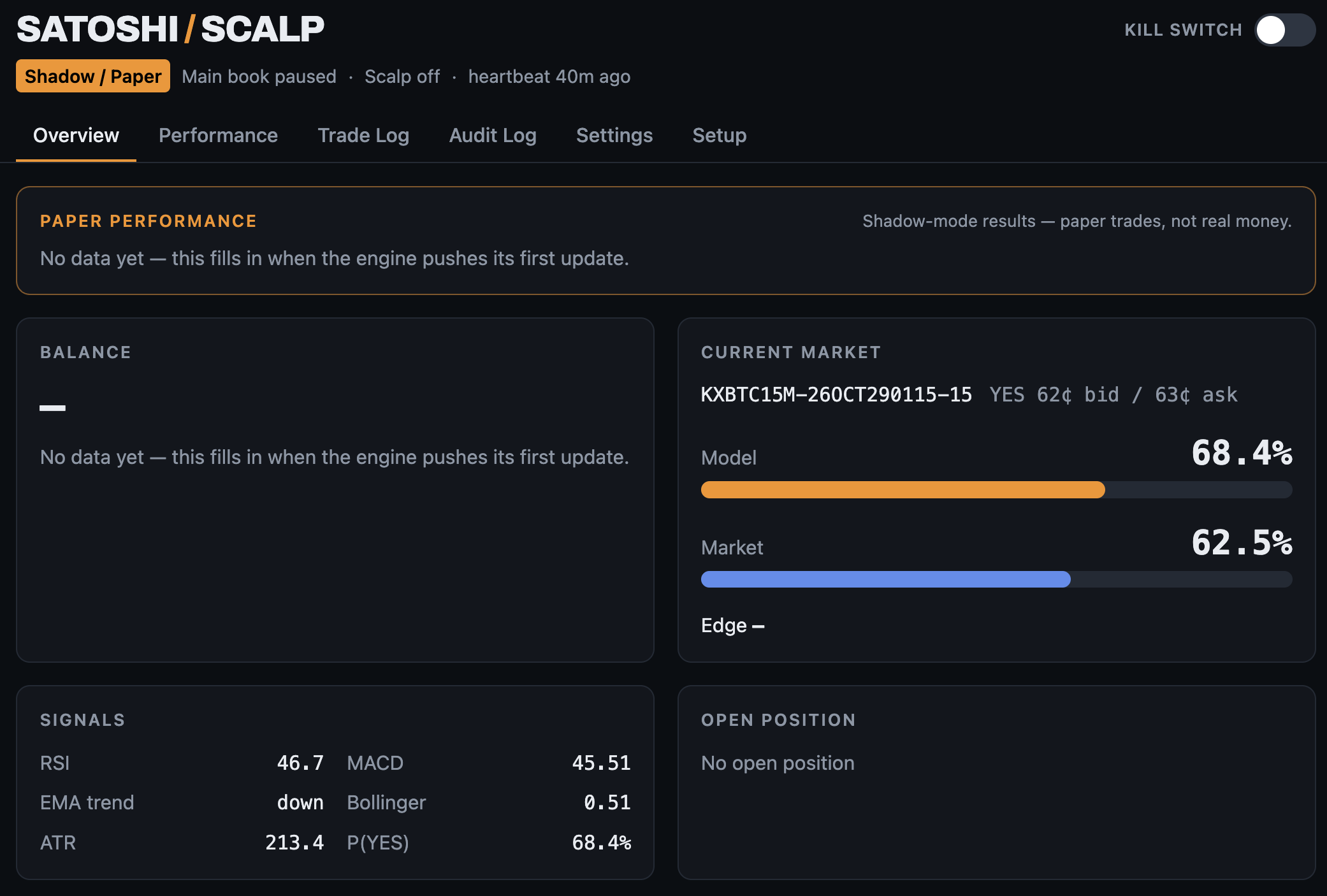
Overview
The live state at a glance: the current market with model vs. market, the signal read, and the open position.
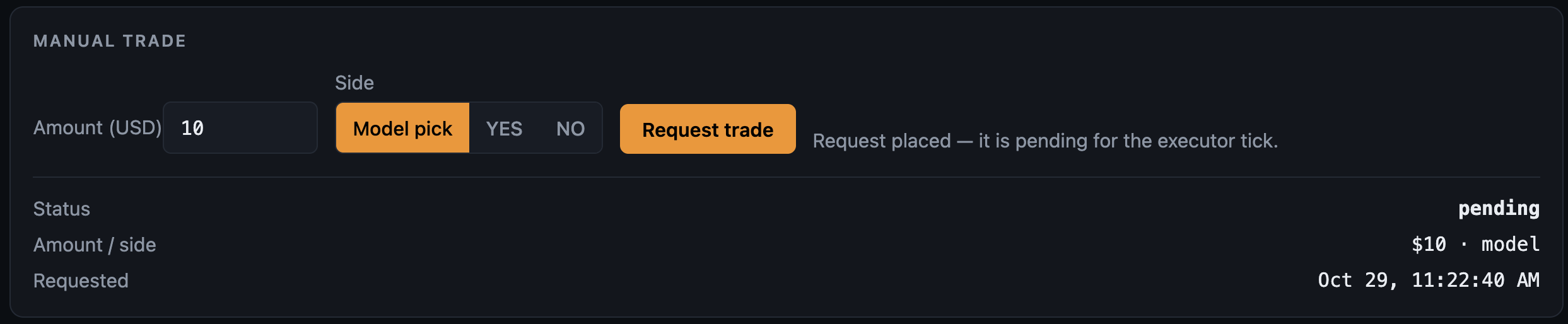
Manual Trade
Your own pick, run through the same four gates as the bot's trades — a pick that fails a gate doesn't place.
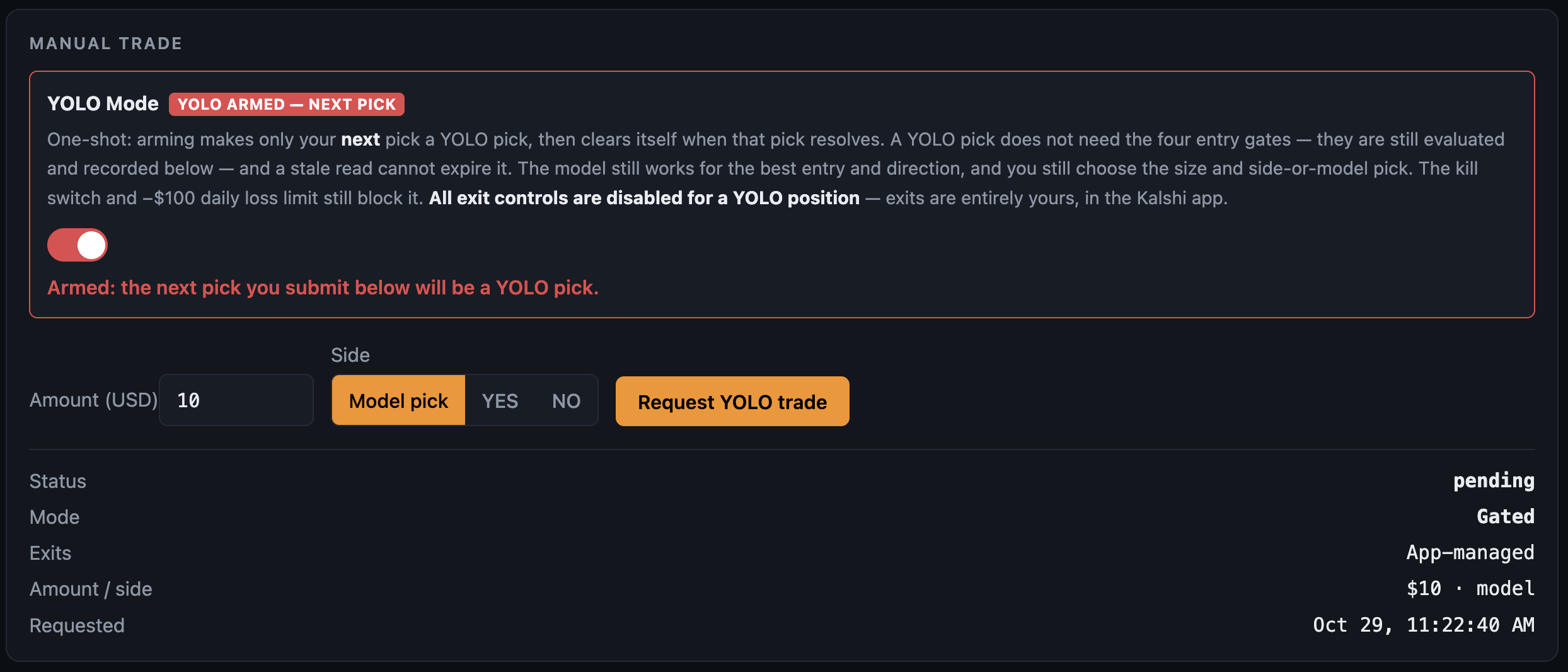
YOLO Mode
Arm it and your next pick skips the gates. The model still picks the side and price, the kill switch and daily loss limit still apply, and every exit is yours alone in the Kalshi app.
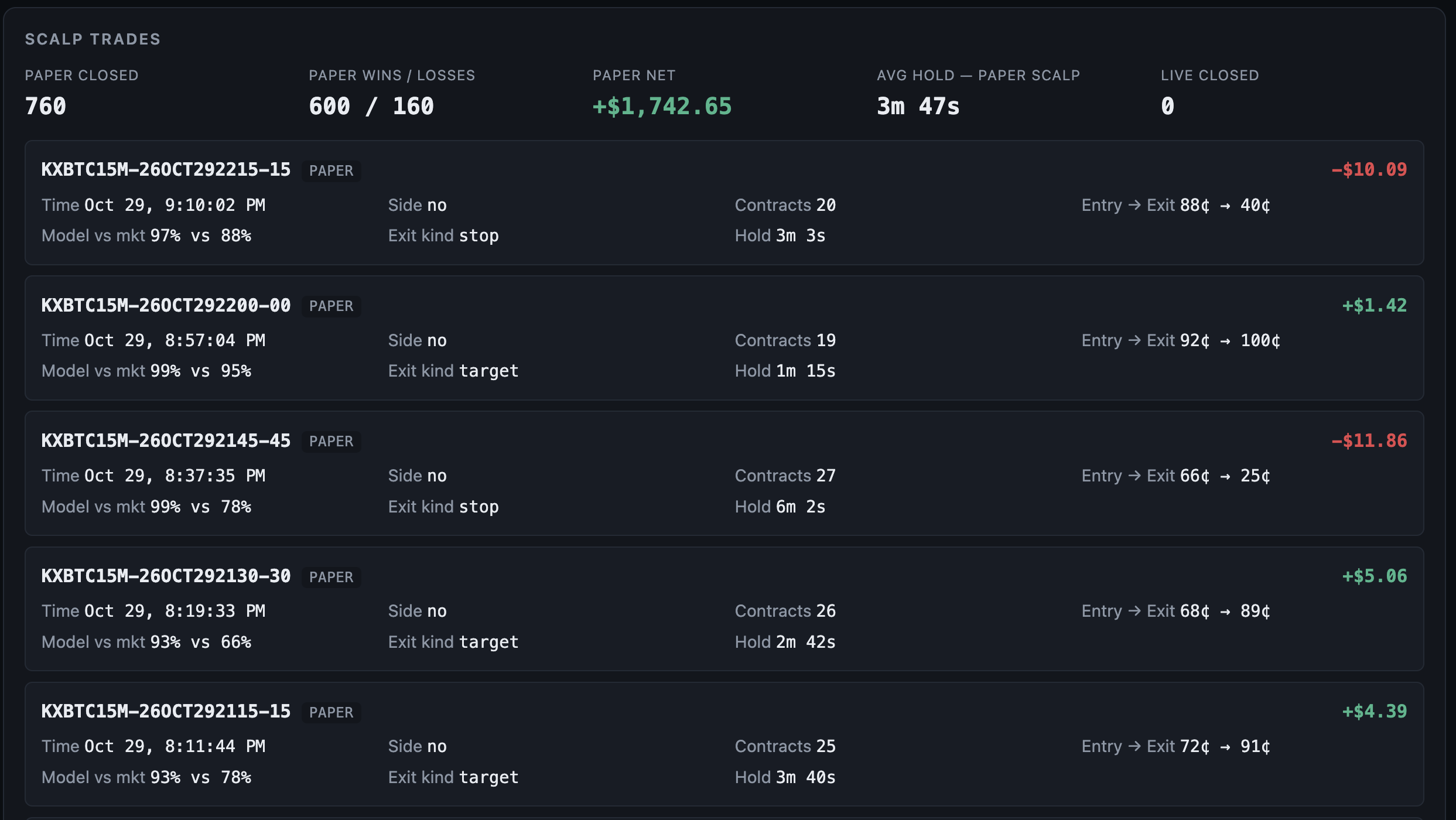
Trade Log
Every scalp trade with its entry and exit prices, model vs. market at entry, and how long it was held.
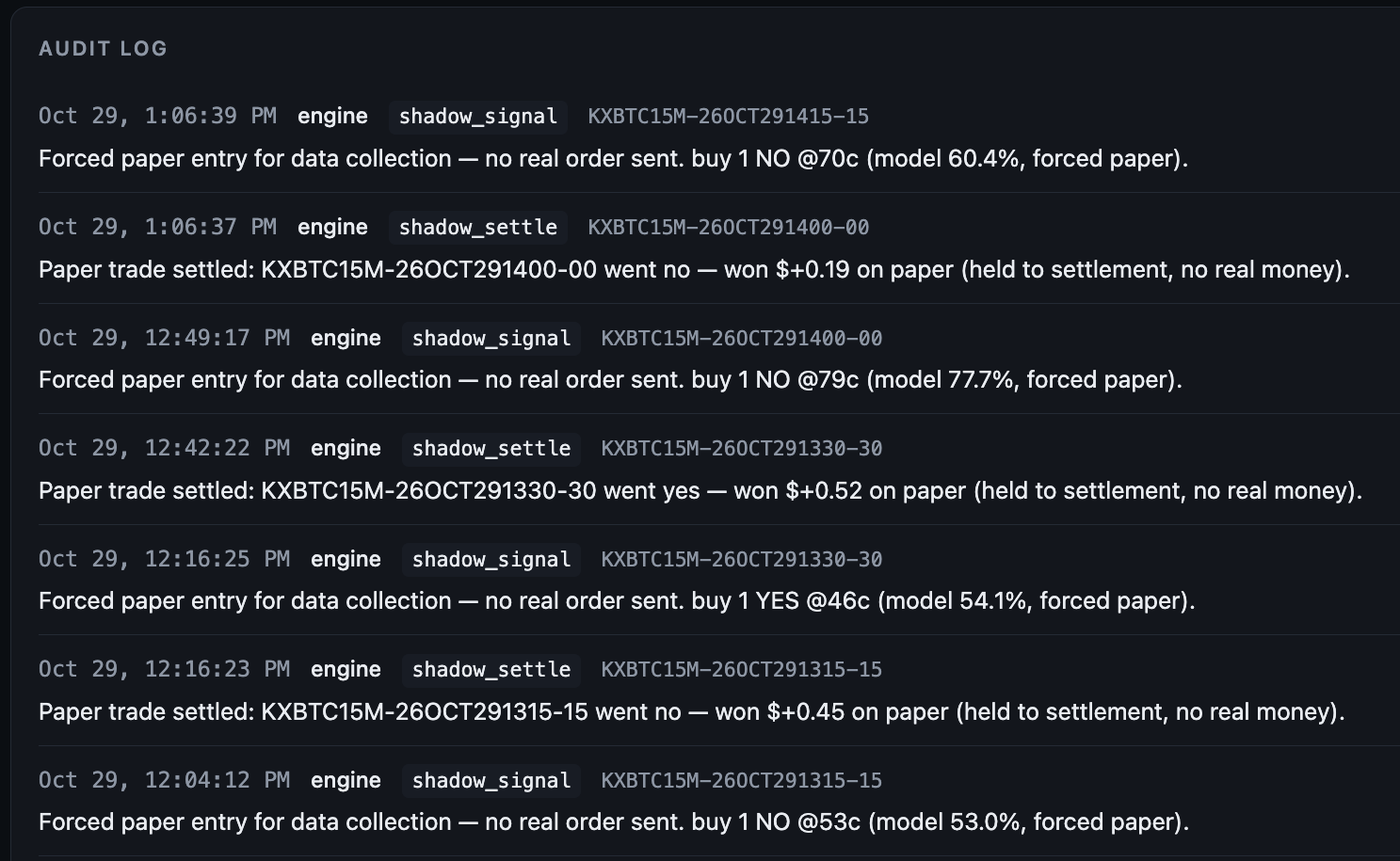
Audit Log
Every signal, entry, and settlement in plain English — the bot explains itself as it goes.
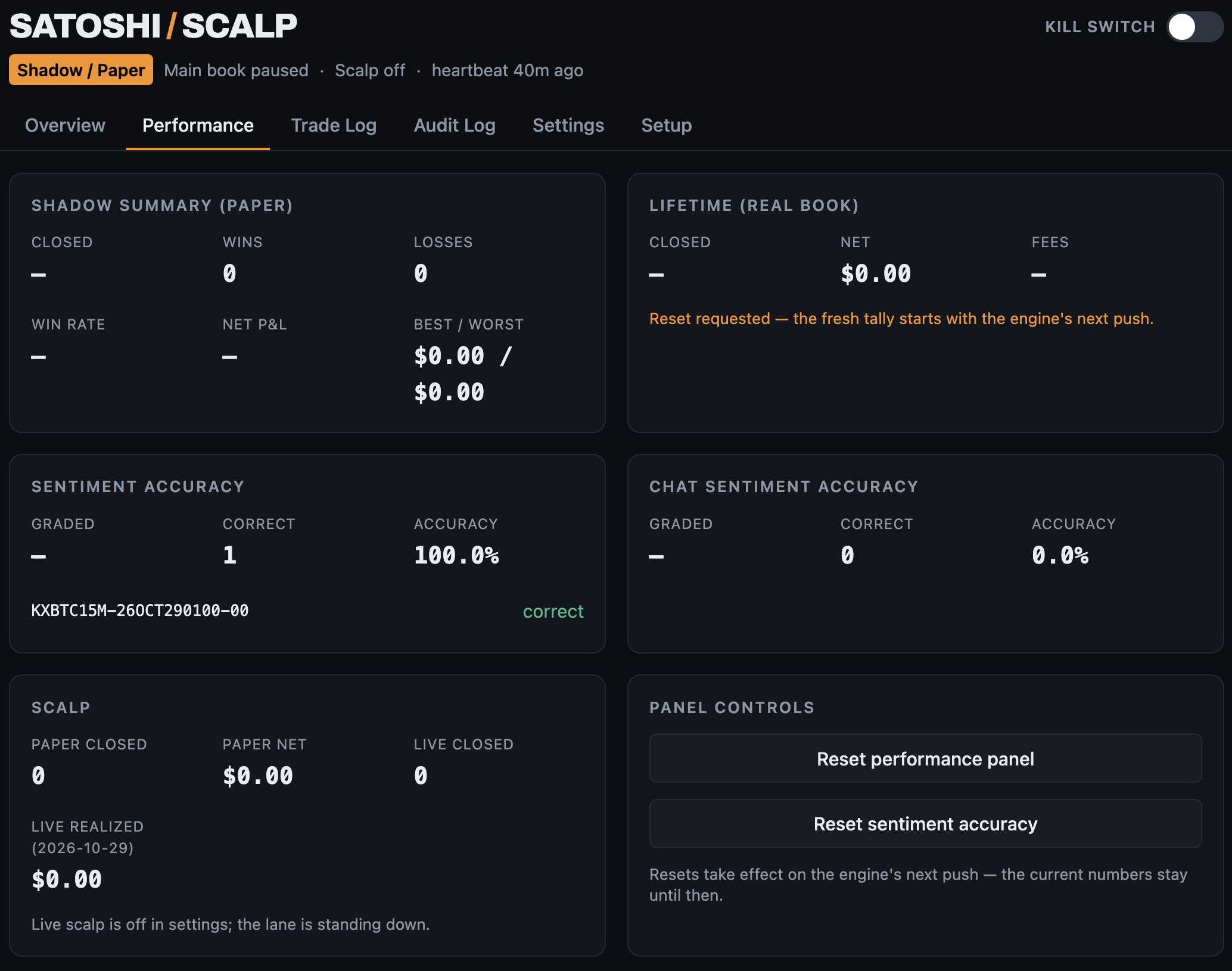
Performance
The scalp lane's paper numbers — closed trades, win rate, average hold — plus sentiment accuracy and the panel reset controls.
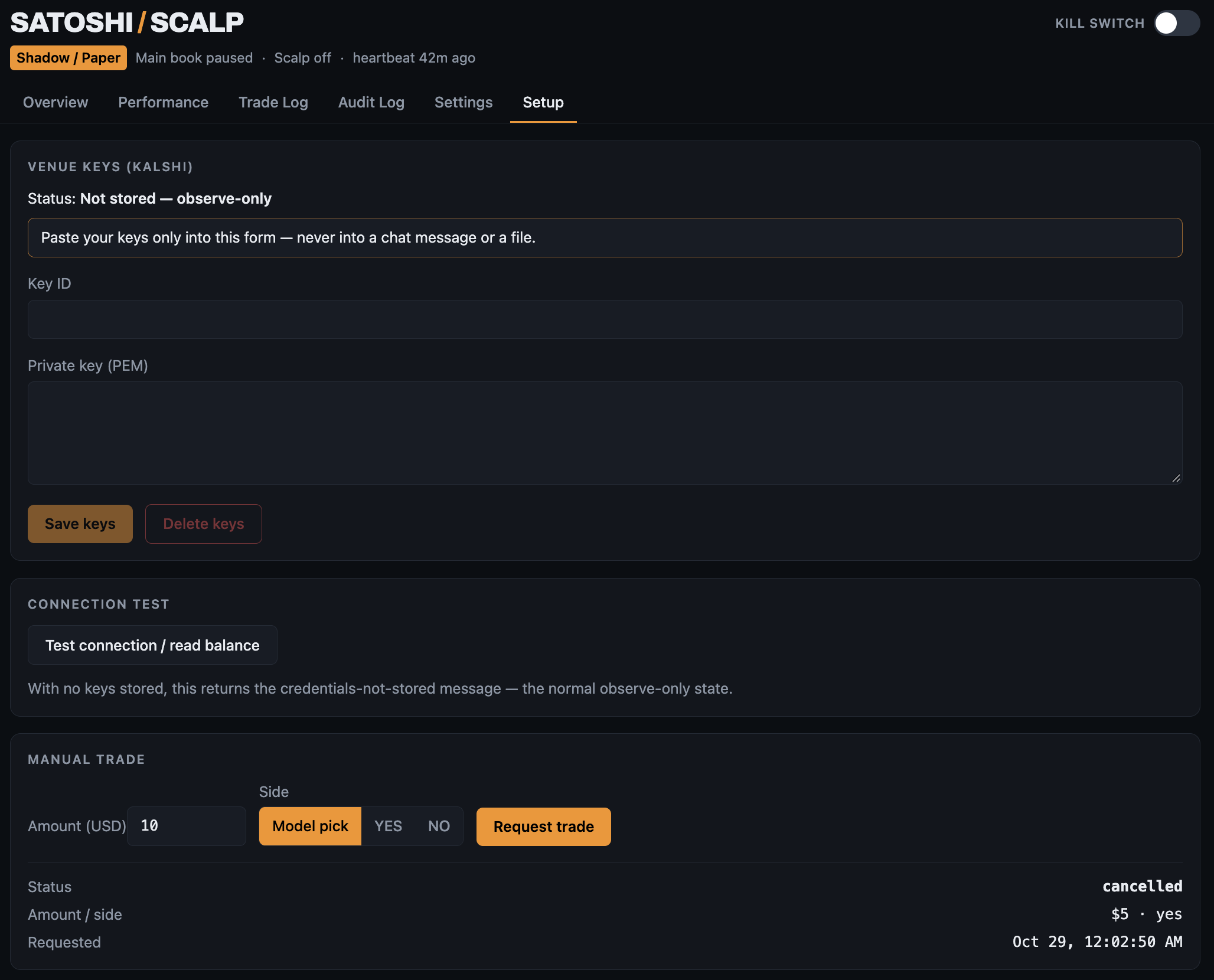
Setup
Your Kalshi keys go into the dashboard's own vault - never a chat message or a file - and manual picks run through the same four gates as the bot's own trades.
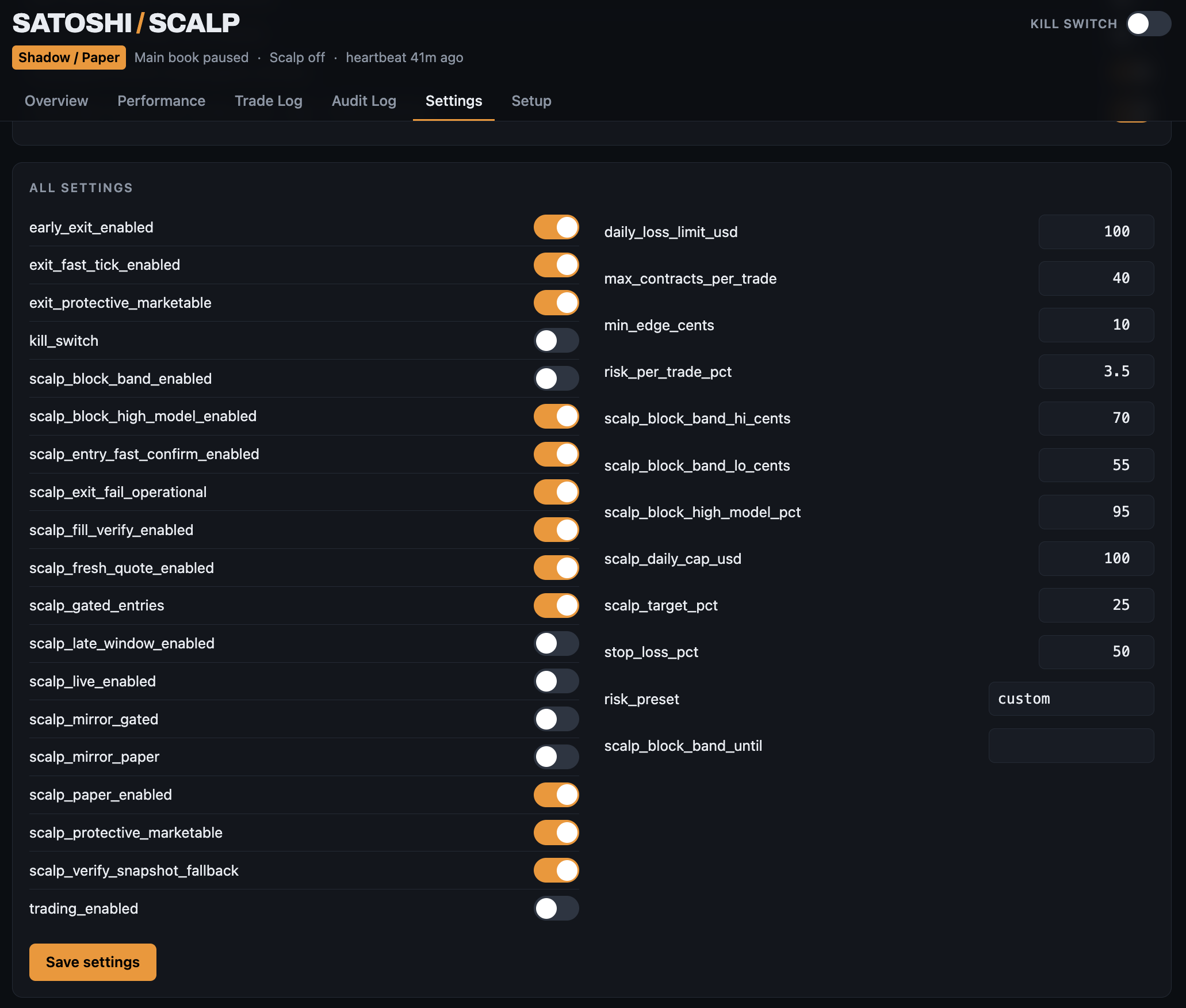
Deep risk controls
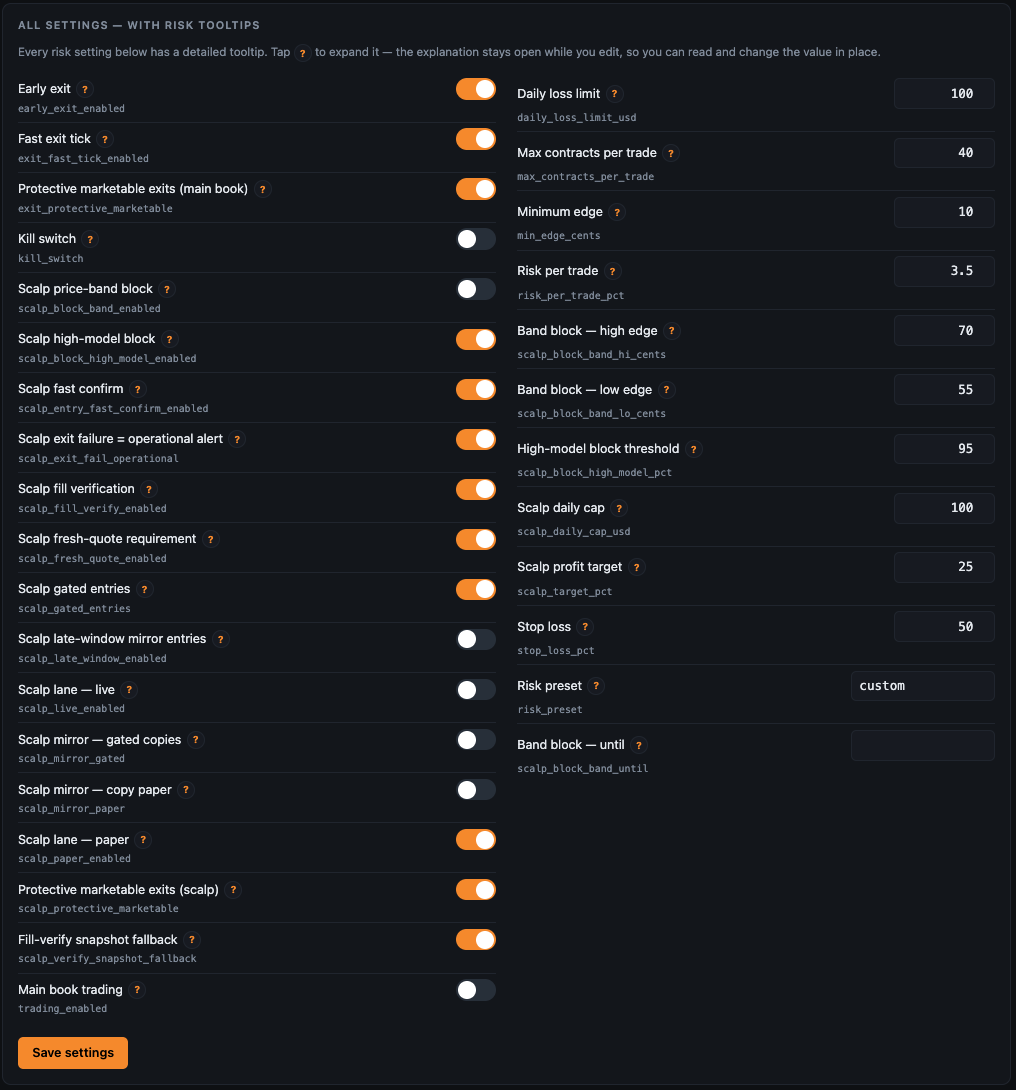
Nothing about risk is buried in a config file. Every control is a visible switch or a number on the Settings tab - set it, save it, and the engine, the exit watcher, and the scalp lane all read the same values.
Settings
The actual controls, exactly as they ship: a plain-English guide to the four layers up top, quick toggles, and every risk setting with its own explanation one tap away. Click either screenshot to view it full-size.
What's in the package
Satoshi Scalp is a copy you run yourself — your device, your Kalshi account, your API keys, your settings. Not a subscription, not a hosted service, nobody else's hands on your money.
The engine
The full trading engine: model, gates, exits, risk controls, and the 60-second exit watcher.
The dashboard
The same control room the author runs — live state, performance, calibration, audit log, manual picks with the same gates applied.
Setup + guide
An installer that wires up the schedules, and a plain-English guide: keys in, paper mode first, go live only when you say so.
A .zip of the full package - engine, dashboard, installer, and the plain-English guide. Free for personal use; see the license inside. Runs on your own device, your own Kalshi account, your own keys.
Honest questions
Does it win?
Sometimes. It is a rules-gated scalper with a real, measured track record — including losing days, a payoff profile where losses run bigger than wins, and a standing program to improve exactly that. Anyone promising you a bot that always wins is selling you something.
Why does it stand down so much?
Because most 15-minute windows offer no edge after fees. The bot's job is not to trade; it's to refuse bad trades quickly and take good ones without hesitation.
Do I need to know how to code?
No. You need a Kalshi account, your own API keys, and a machine (or assistant) to run it on. The guide is written in plain English.
What does it cost?
Version 1 is free. Download it, run it on your own account, keep it — the copy you get stays yours to use. Future versions may be offered on paid terms, and early users will hear about that first; nothing you already have gets switched off or retro-charged.